Installation
To install the Nightsky Plug-in, you can download the installer for macOS or Windows operating systems from the top of the Nightsky Support Page.
- macOS – Open the ‘strymon_Nightsky_plugin_setup_x.x.x.pkg.zip‘ file to unpack the zipped file ‘strymon_Nightsky_plugin_setup_x.x.x.pkg.’
- Open the ‘strymon_Nightsky_plugin_setup_x.x.x.pkg’ file and follow the installation steps.
- Windows – Right-click the ‘strymon_Nightsky_plugin_setup_x.x.x.exe.zip‘ file to select to ‘extract all’ and follow the steps to unzip the zipped file.
- In the unzipped folder, run the ‘strymon_Nightsky_plugin_setup_x.x.x.exe’ installer and follow the installation steps.
Authorization
In order to use the full or free trial version of the Nightsky Plug-in within your DAW, you will need to authorize the plug-in.
To authorize the Nightsky Plug-in, you will need:
- An iLok account to authorize the license to.
- The iLok License Manager software installed on the computer you will be using the Nightsky Plug-in on.
- An Activation Code to authorize the software.
To create a free iLok account and download the iLok License Manager software, please visit the iLok Home Page.
To obtain an Activation Code for the Nightsky Plug-in, you can purchase them from our website here or from one of our partner dealers.
- If you purchased Nightsky Plug-in from one of our partner dealers, you will need to redeem the Redemption Code you received from them at the following link to receive the Activation Code needed to authorize the software.
- You can redeem the Redemption Code for an Activation Code here.
Once you have your Activation Code, please follow the instructions at the following link to activate the Nightsky Plug-in: Nightsky Plug-in Activation
- Open the iLok License Manager and sign into your iLok account.
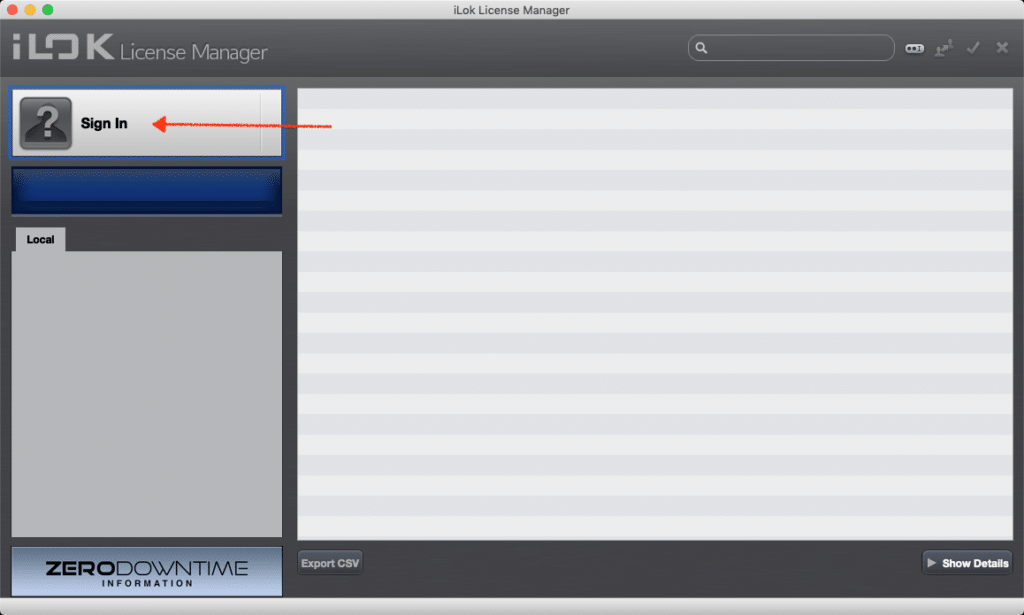
- Before using the Nightsky Plug-In, you’ll need to decide on which authorization method you’d prefer to use – either Machine Authorization, Cloud Session, or a physical iLok USB key. If you’ve not used an iLok before you might prefer to start out using a Cloud session, otherwise you’ll need to purchase an iLok (which can be done through your favorite plugin retailer or directly from www.ilok.com).
- Under the File menu in iLok License Manager, choose “Open Your Cloud Session”. This is basically a virtual USB dongle where you can store your authorizations, and the Nightsky Plug-In auth will be placed here once your code is redeemed.
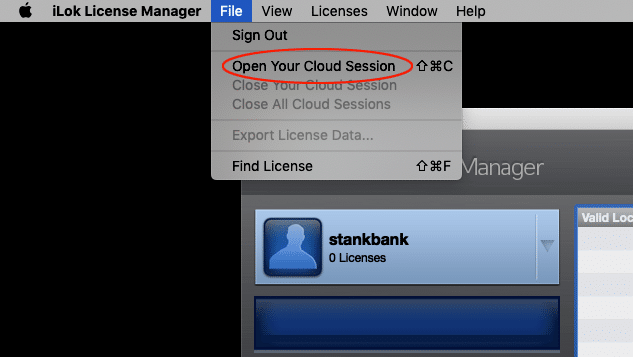
- Under the File menu in iLok License Manager, choose “Open Your Cloud Session”. This is basically a virtual USB dongle where you can store your authorizations, and the Nightsky Plug-In auth will be placed here once your code is redeemed.
- Once the Cloud session is enabled, you will see an icon in the “Local” column on the left side of the iLok License Manager software labeled “[username]’s Cloud” underneath your username.
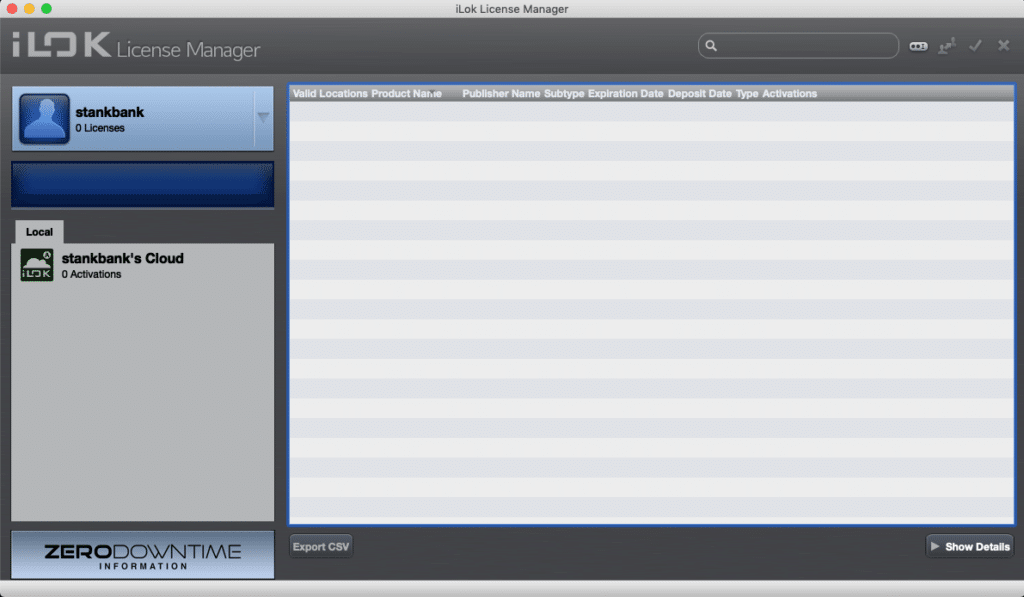
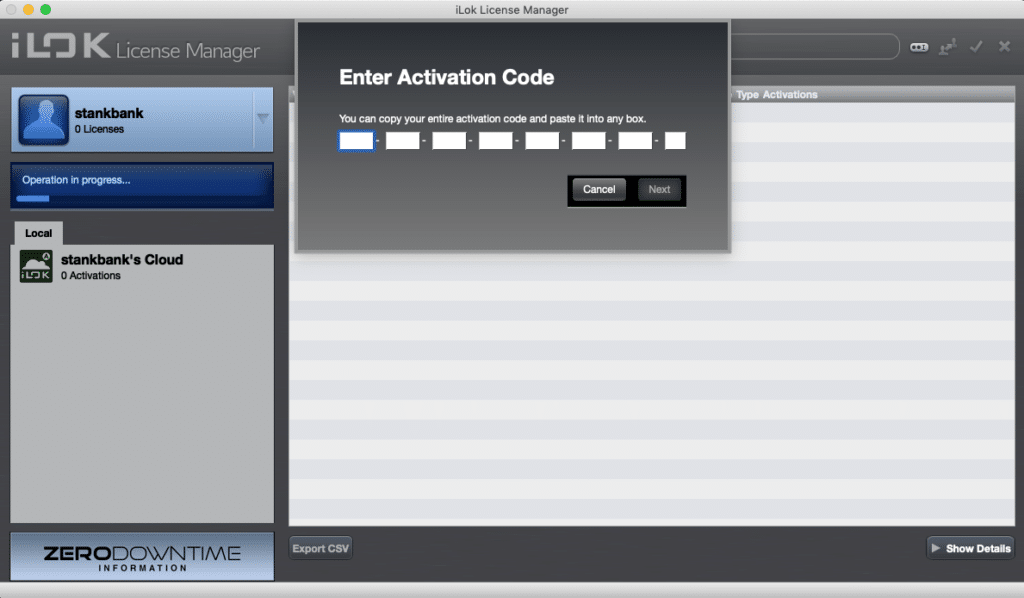
- At this point either click the small button with two dots and an “I” directly to the right of the search bar on the top right to redeem your code, or choose “Redeem Activation Code” from the “Licenses” menu.
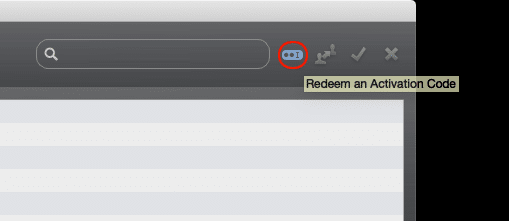
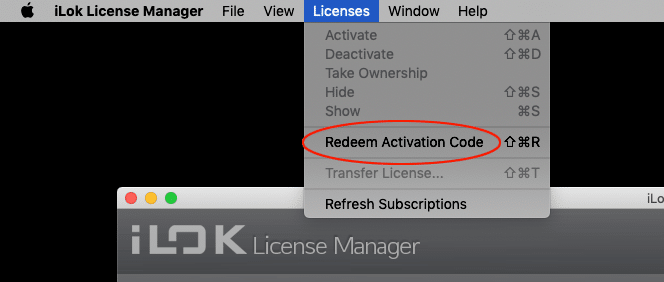
- Copy the entire Activation Code from the email you received from Strymon when you purchased the Nightsky Plug-In, or from your user account on strymon.net, and paste it into the “Enter Activation Code” window. Press the “Next” button to confirm your code.
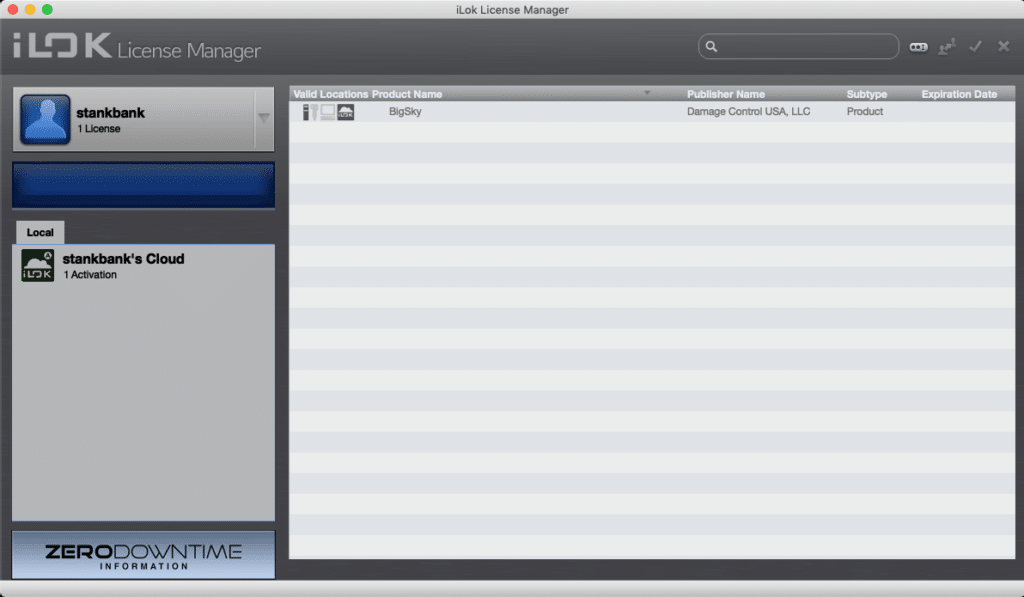
- A license for the Nightsky Plug-In will be placed in your iLok account.
Activate Nightsky Plug-In to an iLok USB key or iLok Cloud Session
Once you authorized the Nightsky Plug-In (full and trial versions) to your iLok account, the Nightsky Plug-In license will appear in your account under your username. The license provides two (2) activations which can be activated to either an iLok key or to an open iLok Cloud Session for your iLok account.
Please note:
- The license cannot be activated to a computer authorization.
- An iLok USB key is NOT REQUIRED to authorize and use Nightsky Plug-In
Activating to iLok USB Key or iLok Cloud Session
- To activate to an iLok USB key, it must be connected to the computer running the iLok License Manager software.
- To activate to an iLok Cloud Session, you must first select Open a Cloud Session from the File menu of iLok License Manager software after you have logged into your account in that application.
To Activate the license to a location:
- Click on your iLok username at the top left of the application to view the licenses in your account.
- Right-click on the Nightsky Plug-in license (full or trial versions) and select Activate.
- Select either your connected iLok USB key or your iLok Cloud Session from the pop-up window to activate the license to that location.
- You can now open your DAW/recording program to begin using the Nightsky Plug-In