


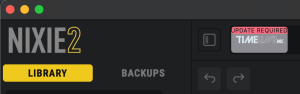
To use TimeLine MX with Nixie 2, simply connect your pedal to your computer via USB-C data cable, then open the Nixie 2 application. Once the pedal is detected, Nixie 2 will automatically check for updates, and prompt you to update if needed (see image below). If your pedal requires an update, simply click the “Update Required” button, and follow the prompts on screen. After the pedal appears on screen, you’re ready to begin editing, sorting, and storing your presets!
For general information on Nixie 2 and how to use specific functions, check out the Nixie 2 support page here, or reach out to us directly at support@strymon.net.